
If your website doesn’t show up on Google, there are only a handful of possible reasons, and you can identify yours in about 15 minutes. This guide walks through them in order, from the most common to the rarest, with a specific check for each. No tools to buy, everything here is free.
One clarification first, because it changes which fixes apply to you: “not showing up” means two different problems.
- Problem A: your site isn’t in Google at all. Nobody can find it, not even by searching your business name.
- Problem B: your site is in Google, but not where anyone sees it. It exists in the index but ranks on page 4 for the searches that matter.
The 30-second test that tells you which one you have: go to Google and search site:yourwebsite.com (with your actual domain, no spaces). If Google shows your pages, you have Problem B, skip to cause 6. If Google shows nothing, you have Problem A, start at cause 1.
Cause 1: Your site is too new
Google doesn’t discover websites instantly. A brand-new site with no links pointing to it can take days or even weeks to be found and indexed, and Google won’t hurry unless you ask it to.
How to check: if your site launched in the last month and the site: search shows nothing, this is probably it.
The fix: set up Google Search Console (free, takes 10 minutes, and you’ll need it for every other check in this article anyway). Submit your sitemap under Sitemaps, then use URL Inspection on your homepage and click Request Indexing. This usually cuts discovery time from weeks to days.
Cause 2: Your site is telling Google to stay away
This is the most common self-inflicted cause, and it usually comes from one WordPress checkbox. During development, sites are often set to “hidden” so the unfinished version doesn’t get indexed. Then the site launches and nobody unchecks the box.
How to check: in WordPress, go to Settings, then Reading, and look at “Discourage search engines from indexing this site.” If it’s checked, that’s your answer. For a deeper check, open your homepage, view the page source, and search for noindex. If you find <meta name="robots" content="noindex">, Google is being told to ignore the page.
The fix: uncheck the box (or remove the noindex tag), then request indexing in Search Console. Sites deindexed this way come back, but give it days, not hours.
Cause 3: Your robots.txt is blocking crawlers
The robots.txt file tells search engines which parts of your site they may visit. A misconfigured one can lock Google out entirely.
How to check: open yourwebsite.com/robots.txt in a browser. The red flag is these two lines together: User-agent: * followed by Disallow: /. That combination blocks everything.
The fix: remove the Disallow: / line or replace the file with a standard one. If you’re not sure what should be in there, a minimal safe version allows everything and points to your sitemap.
Cause 4: Your pages are indexed but got removed or lost
Sites that were in Google and then vanished usually broke something: a domain change without redirects, an SSL misconfiguration, a redesign that changed every URL, or hosting that keeps going down when Google visits.
How to check: Search Console, Pages report. It shows exactly which pages Google knows about and why the excluded ones are excluded (“Not found (404)”, “Redirect error”, “Server error” and so on). Each label points to a different fix.
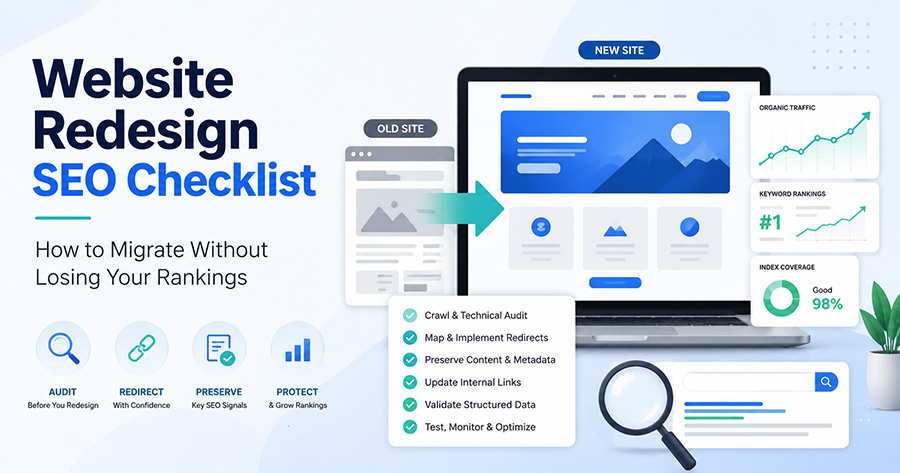
The fix: depends on the label, but the most common case is a redesign or migration done without redirects. If that’s you, the damage is fixable: we wrote a full website redesign SEO checklist that covers recovering from exactly this.
Cause 5: A manual penalty (rare, but check it)
Genuine Google penalties are much rarer than business owners fear, and they don’t happen by accident. They follow things like purchased spammy links or copied content at scale.
How to check: Search Console, Security & Manual Actions, then Manual Actions. If it says “No issues detected,” you don’t have a penalty. Done, cross it off.
The fix (if you do have one): the notice describes the violation. Fix what it names, then submit a reconsideration request from the same screen.
Cause 6: You’re indexed, just ranking too low to be seen
This is Problem B, and it’s the situation most established sites are actually in. Your pages exist in Google’s index, but for the searches that matter (“web design brooklyn”, “accountant queens”, whatever your market is), you’re on page 3 or beyond, where almost nobody clicks.
How to check: Search Console, Performance report. Look at Impressions and Average Position. If your key pages have impressions but a position of 30+, Google knows about you, it just doesn’t rank you yet.
The fix: this one isn’t a checkbox, it’s SEO: content that matches what people search for, pages targeting specific keywords, links from other sites, and time. Be wary of anyone promising page 1 in a week. If impressions are growing month over month, you’re moving in the right direction, just not finished.
Cause 7: You’re searching for the wrong thing
Worth naming because it produces false alarms constantly. Ranking is keyword-specific: a site can rank #1 for its business name and be invisible for “web design nyc”, because the second one has thousands of competitors. Also, Google personalizes results, so what you see when you search isn’t what your customers see.
How to check: search your exact business name in an incognito window. If you show up for that but not for generic terms, your site is fine, it’s just early in the ranking process (see cause 6).
The 15-minute diagnostic, in order
- Search
site:yourdomain.com. Nothing? Continue. Results? Jump to step 5. - Check the “Discourage search engines” box in WordPress and look for noindex in your page source.
- Open
/robots.txtand look forDisallow: /. - Set up Search Console, submit your sitemap, request indexing, and check Manual Actions while you’re there.
- In Search Console’s Performance report, check whether you have impressions and what your average position is.
- If indexed and penalty-free but ranking low: the problem isn’t technical, it’s competitive. That’s an SEO strategy question, not a settings question.
FAQ
How long does it take for a new website to show up on Google? With Search Console set up and a sitemap submitted, typically a few days to two weeks. Without it, discovery can take a month or more, especially if no other sites link to yours.
Can I pay Google to index or rank my website? No. Google Ads buys visibility in the paid slots, but it has zero effect on organic indexing or rankings. Anyone selling “guaranteed Google ranking” as a paid placement in organic results is misrepresenting how search works.
My site shows up when I search the name, but not for anything else. Is something broken? No, that’s normal for a newer site. Your name has no competition; terms like “plumber brooklyn” have thousands of competing pages. Ranking for competitive terms is earned through content and links over months, not granted at indexing.
I fixed the problem. How fast will my site appear? After removing a blocker (noindex, robots.txt) and requesting indexing, pages typically return within a few days to two weeks. Rankings recover on their own schedule, gradually.
Worked through the list and your site is indexed but stuck on page 3? That’s the point where the fixes stop being technical and start being strategic. Send us your domain and we’ll tell you what’s holding it back, free, no obligation. Get in touch.